Slate Integration
One of the great features of Meadow's Net Price Calculator is the ability to deliver new and updated leads to Slate on a monthly, weekly, daily, or hourly basis via SFTP.
Follow the below steps to get your Slate instance ready to integrate with Meadow.
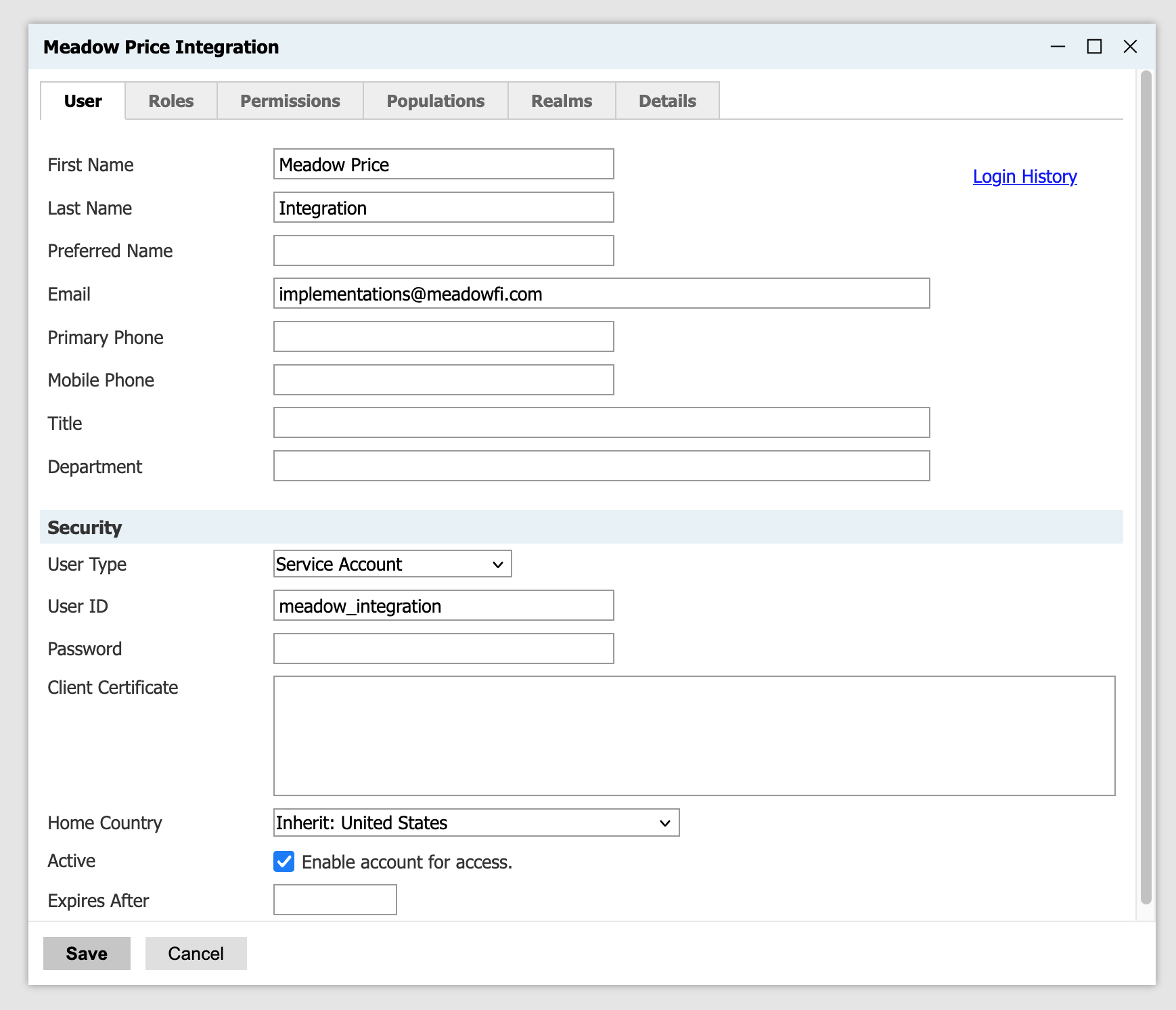
Create a Slate User
Go to Database > User Permissions and create a new user.
- Pick User Type of Service Account.
- We suggest the User ID be
meadow_integration, but it can be anything. - Grant the user the exclusive
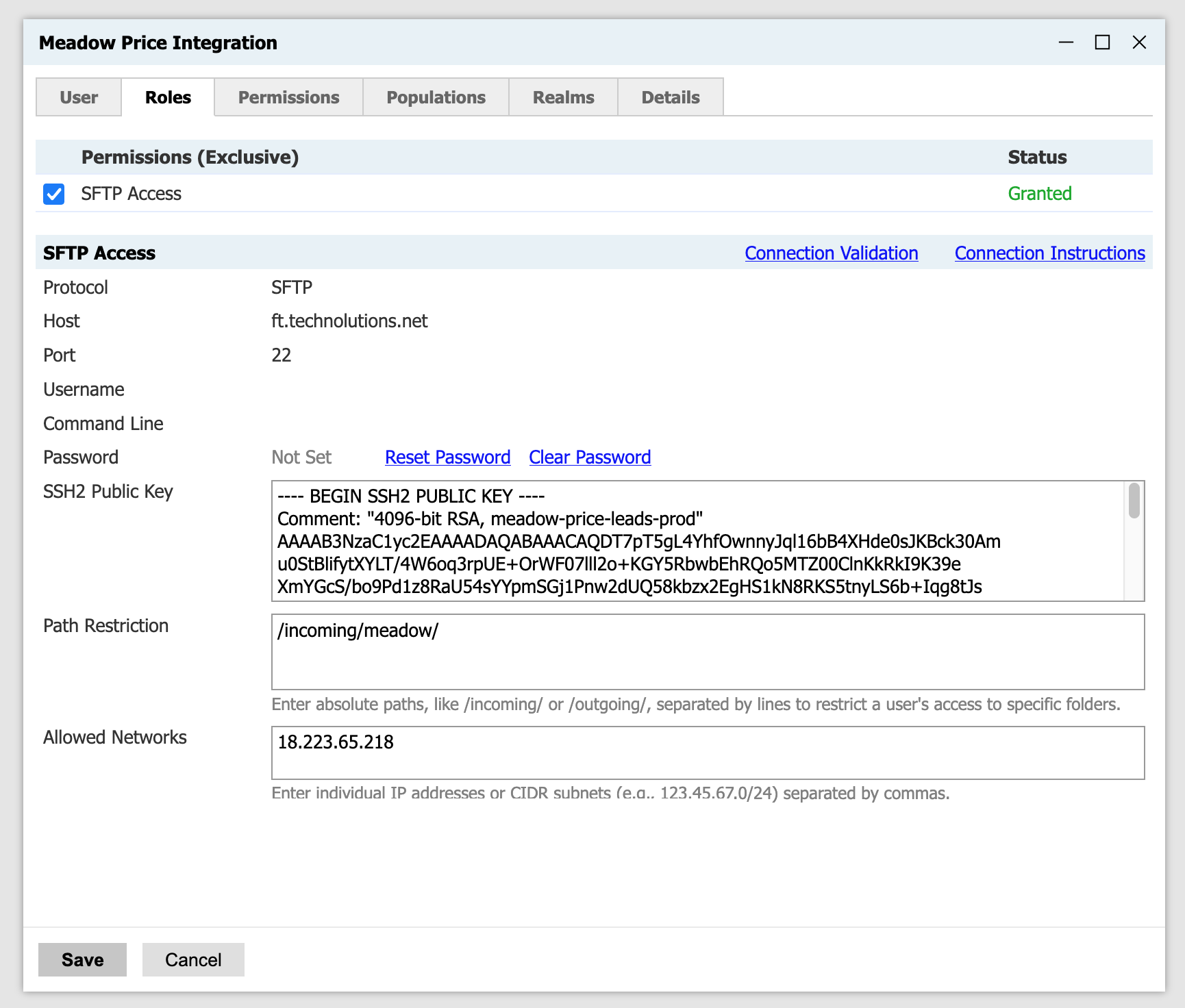
SFTP Accesspermission on the Roles tab.- Add Meadow's public key, which is not a secret or sensitive in any way (it's public!).
- Add the path restriction
/incoming/meadow/(this can be customized). - Add Meadow's static, production IP address: 18.223.65.218
- Communicate the SFTP username (
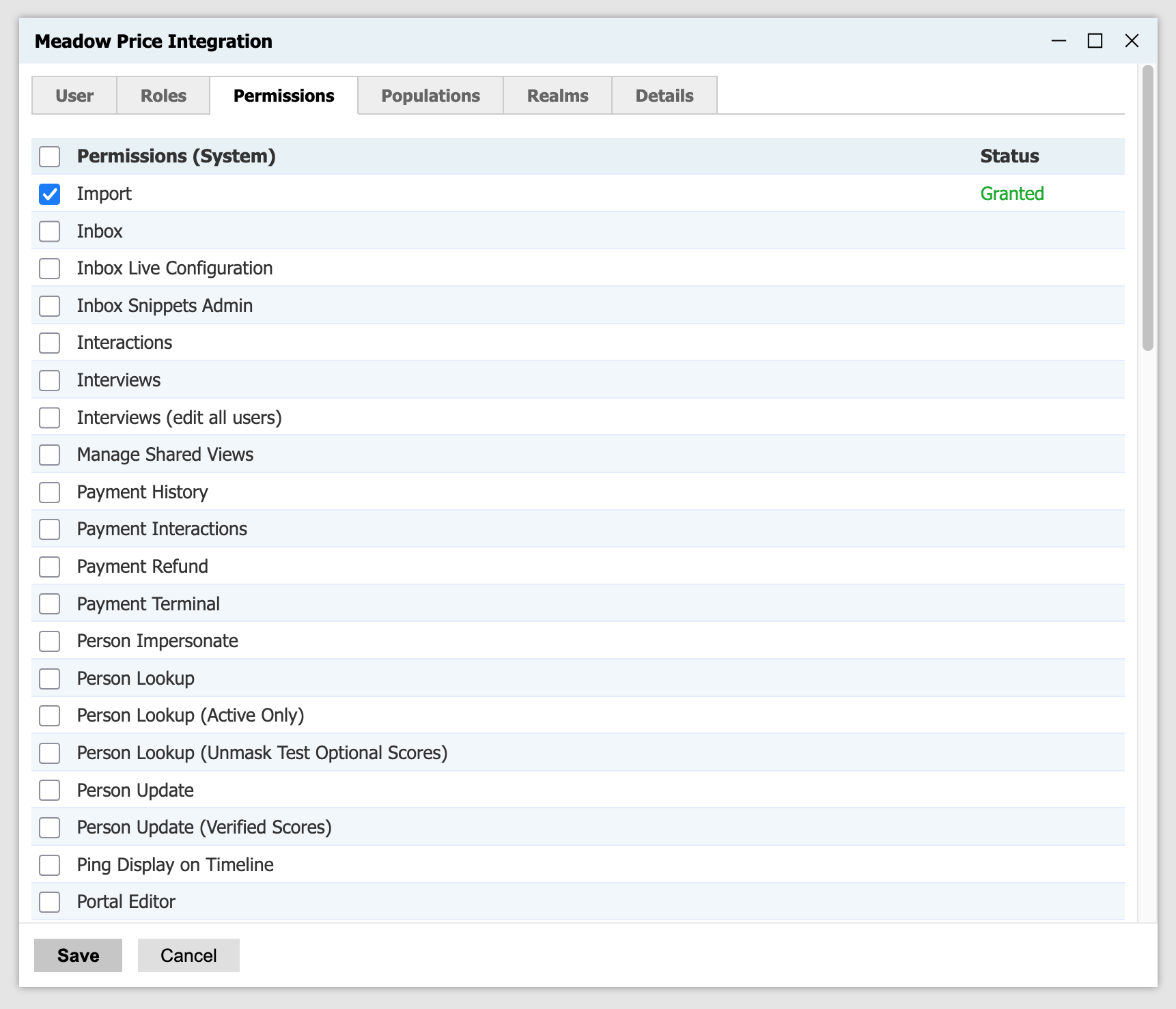
meadow_integration@apply.school.edu) to Meadow - Grant the user the
Importpermission on the Permissions tab.
---- BEGIN SSH2 PUBLIC KEY ----
Comment: "4096-bit RSA, meadow-leads-prod"
AAAAB3NzaC1yc2EAAAADAQABAAACAQDT7pT5gL4YhfOwnnyJql16bB4XHde0sJKBck30Am
u0StBlifytXYLT/4W6oq3rpUE+OrWF07lll2o+KGY5RbwbEhRQo5MTZ00ClnKkRkI9K39e
XmYGcS/bo9Pd1z8RaU54sYYpmSGj1Pnw2dUQ58kbzx2EgHS1kN8RKS5tnyLS6b+Iqg8tJs
DHOOpVjcB8zjxJ+/b2GkRWzHo4e9cRXrIWX7pqFo0u3nokJooZXuFvHR3kkN3yNfaUy4QL
syGN0ixXod447HZr6n95vqSrF/OBQjRbzGnlIniK7AqqaGSacDb7NREZgV9MHomS/zkLd6
FXY4aoqVkjx5pTVVZ7RMTdflEACcb35W0mgGO5Bj39i7zkyOBGfy4lVT1YD7AEXeiwfqY5
M9iZuvHn28YL9DFrtNO6Z6u7rmBq8w+lv0tbM+vNL6sf7/118Da7hnne5ucxBwyee82f70
Gk3AE5G/EyhYrgANllOF1cEonD58n30cp9chP56qGcs/19HAAMt30Haj+1hHIUNvarhOxf
UMOjzfqdUcsTZX5gnWOSn1E9CjsFd7unkHdsTEQa8jsAkqpquJOp0+250nSfwTrdaaGN+x
d6pgpnB1sXze7CQnTSBeJm1Z2PBiW2MHb/YuuStckjuKX4GGDVf+CXxmXttpxfqKpnjUWK
1yfIJXB+9XS/Tw==
---- END SSH2 PUBLIC KEY ----
Screenshots
Create the New Directory
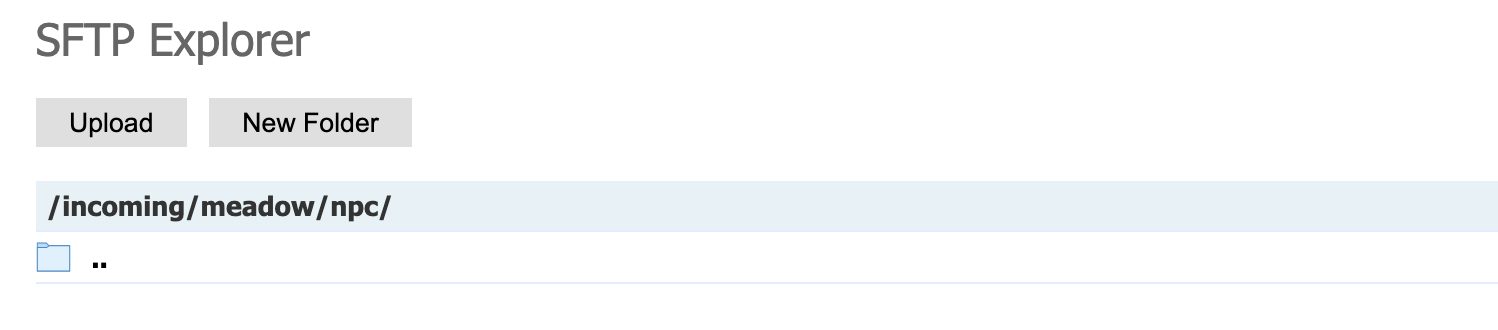
Go to Database > SFTP Explorer
Go into the /incoming directory and create meadow underneath it, then npc underneath that. Your end result should be a new, empty directory named /incoming/meadow/npc/:
Import the Meadow Source Format
Go to Database > Suitcase Import
Suitcase ID: 6d5538ba-521f-4155-84f9-f2ab5b382218:rwf
The suitcase contains one item, the Meadow source format.

After importing the suitcase, go to the Source Format and make sure that the settings are:
- Status: Active
- Remap Active: Inactive
- Import Path/Mask:
/meadow/npc/*.csv
This will cause Meadow files to be picked up and staged, but not fully imported. Once at least one leads file has arrived, you can click Edit Mappings and fine-tune the source format mappings to fit your school's custom NPC questions and custom Slate fields.
Once you're happy with the mappings, set Remap Active to Active and the files will fully import.